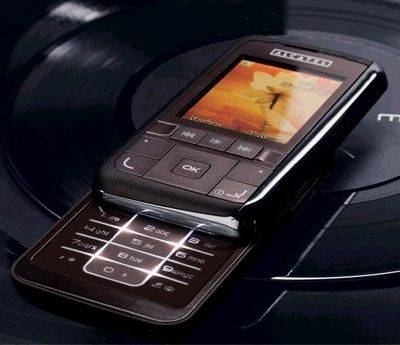
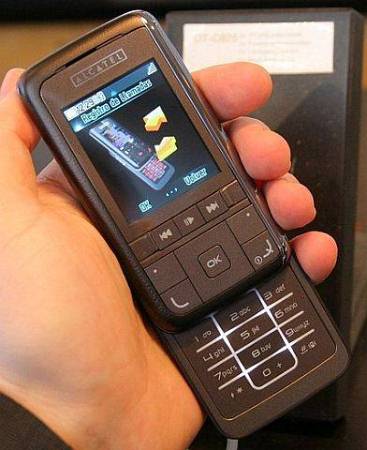
Alcatel OT-C825
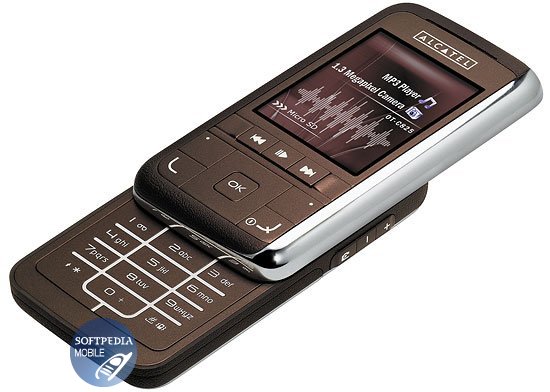
6 photosVIEW ALL
STATUS
INTRODUCED
FORM FACTOR
NETWORKS
BATTERY
DIMENSIONS
INTRODUCED
FORM FACTOR
NETWORKS
BATTERY
DIMENSIONS
Discontinued
February 2007
Slider
2G
Li-Ion, 700 mAh
96.0 x 50.0 x 18.0
February 2007
Slider
2G
Li-Ion, 700 mAh
96.0 x 50.0 x 18.0
0/5

Technical Specifications
general
- Introduced
- February 2007
- Announced
- January 2007
- Network (2G)
- GSM 900 / GSM 1800 / GSM 1900
- Network (3G)
- Form factor
- Slider
- Antenna type
- Internal
sim information
- SIM Type
- mini-SIM
- Multi-SIM
- No
hardware specs
- Internal Storage
- 10 MB
- Numbers in phone
- 800
- Received calls
- 20
- Outgoing calls
- 20
- Lost calls
- 20
size
- Weight
- 99.0 g (with battery)
- Dimensions
- 96.0 x 50.0 x 18.0
display
- Type
- Graphical
- Coloured
- Yes, TFT, 262K colors
- Size
- 2.00 inch
- Resolution
- 176 x 220 pixels
- Extras
- - No
ringtones
- Polyphonic ringtones
- Yes, 64
- Extras
- - MP3, MPEG4, AAC
networking
- GPRS
- Yes, Class 10 (4+1/3+2 slots), 32 - 48 kbps
- Bluetooth
- Yes, 2.0
- WAP
- Yes
- Browser
- Yes, WAP 2.0
- PC kit
- No
camera
- Type
- Builtin, 1.3 MP
- Photo Resolution
- 1280 x 1024 pixels
features
- Vibration
- Yes
- SMS
- Send / Receive
- MMS
- Send / Receive
- Java
- Games
- Yes, 2
- Clock
- Yes
- Alarm
- Yes
- Calculator
- Yes
- Calendar
- Yes
- Voice memo
- Yes
- T9
- Yes
- Handsfree
- Yes
- Extras
- - Conference call up to 5 persons
- ID3 Tag Support
- Flight Mode
- Karaoke
- PC Software Suite
- Organizer
standard battery
- Type
- Li-Ion
- Capacity
- 700 mAh
- Standby time
- GSM: 300h
- Talk time
- GSM: 6h
Photo Gallery
1
2
3
4
5
6